Can You Use Google Maps in Korea? (And Does It Actually Work?)
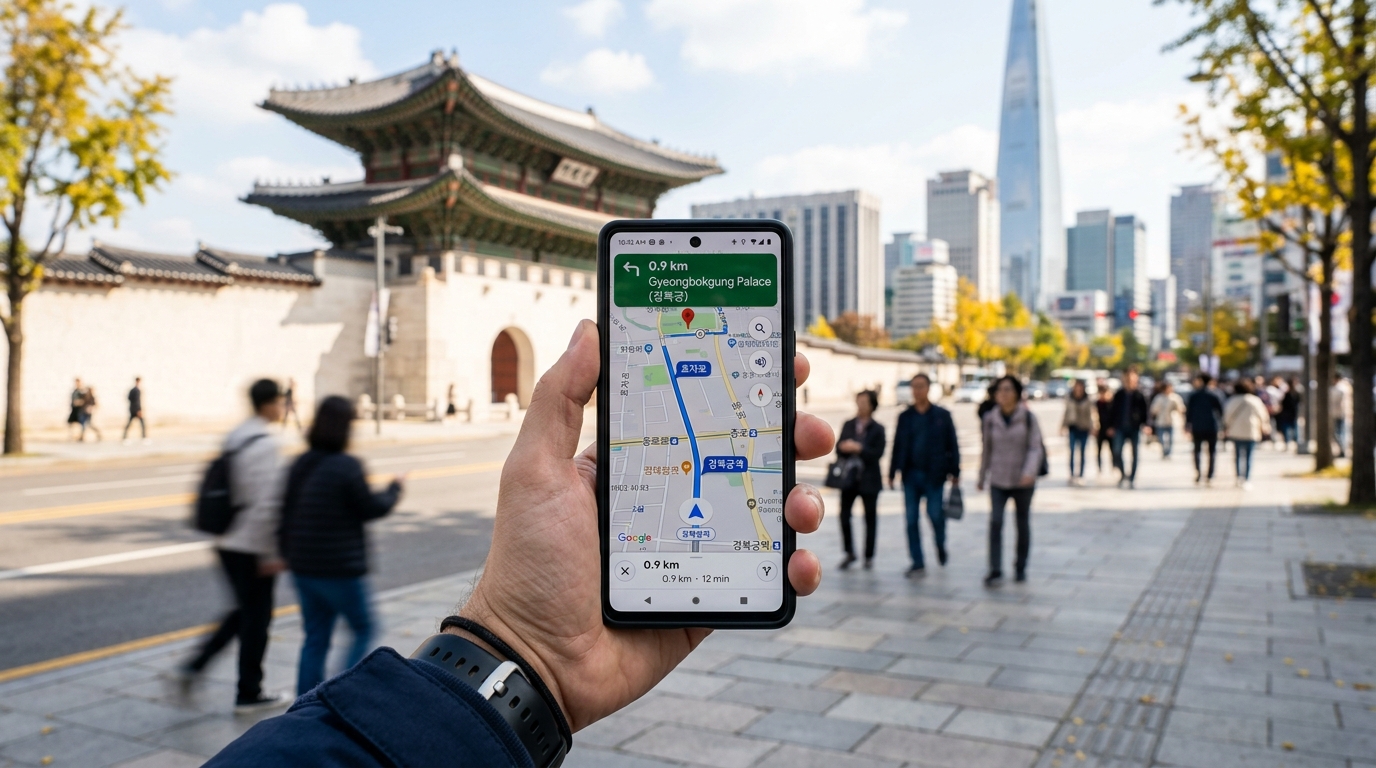
If you've traveled elsewhere in Asia with Google Maps working flawlessly, Korea will catch you off guard. The app opens fine, the map loads, and everything looks normal — until you try to get transit directions and realize something is broken. Here's exactly what works, what doesn't, and what Korean locals actually use instead.
Quick Answer
Google Maps works reasonably well in Korea for walking directions and general place navigation, but its public transit routing can be unreliable or incomplete for certain routes. For subway, bus, and combined transit routes in Seoul, Naver Map or Kakao Map is usually more reliable — both have full English interfaces and are the most commonly used mapping apps among locals. Download at least one before you land.
The Full Answer
What Google Maps Does Well in Korea
Walking directions: Accurate and reliable throughout Seoul and major cities. If you're navigating on foot between neighborhoods, tourist sites, or from a subway exit to your destination, Google Maps works perfectly.
Driving and car navigation: Works well for driving, including turn-by-turn navigation. If you're renting a car (most useful on Jeju Island or in rural areas), Google Maps is a functional option, though dedicated Korean navigation apps like T-map or Kakao Navi are more accurate for Korean roads, speed cameras, and real-time traffic.
Finding places: Google Maps listings for restaurants, cafés, attractions, and hotels are generally accurate in major tourist areas. Reviews and photos from international visitors are available in English. Opening hours are often correct but can lag behind Korean-language apps for smaller local businesses.
Street View: Available and useful for identifying building entrances, which is genuinely helpful in Seoul where addresses aren't always intuitive.

Where Google Maps Falls Short
Public transit routing — the main problem: This is the critical limitation. Google Maps has historically had incomplete access to Korean transit data, and its routing for Seoul's subway and bus system can produce incorrect transfer instructions, miss faster routes, or simply fail for certain combinations. For a city where public transit is the primary way to get around, this is a significant gap.
The root cause is a longstanding data-sharing issue between Google and Korean mapping authorities. Korean law has historically restricted the export of detailed mapping data outside the country, which limits what Google can display and calculate.
Bus routes: Even more unreliable than subway routing on Google Maps. Korean bus routes are complex, with many overlapping lines and real-time schedule data that Google doesn't fully access.
Real-time arrival information: Kakao Map and Naver Map show live subway and bus arrival times pulled directly from Seoul's transit systems. Google Maps doesn't have this data.
Smaller streets and alleyways: In older neighborhoods like Euljiro, Insadong, and traditional residential areas, Google's map data is sometimes less complete than Naver Map, which has more granular local data.
What Koreans Actually Use
Naver Map (네이버 지도) — Best Overall
Naver Map is the closest Korean equivalent to Google Maps and the most comprehensive option for travelers.
- Full English interface: Language settings switch the entire app to English, including search, directions, and place names
- Transit routing: Generally accurate for subway, bus, and combined routes with real-time arrival data
- Walking and driving: Works well for all modes
- Place search: Best database for local restaurants and businesses, often with menus and photos
- Offline use: Limited, but the app caches recently viewed areas
Best for: All-purpose navigation, covering most of what you'll need for getting around Korea.

Kakao Map (카카오맵) — Best for Transit
Kakao Map is the other major Korean mapping app and particularly strong for public transit.
- English interface: Available, though slightly less complete than Naver Map's English mode
- Transit routing: Excellent — shows all options ranked by travel time, includes walking segments, transfers, and live arrival counts
- Kakao Taxi integration: If you use Kakao Taxi (the standard ride-hailing app in Korea), Kakao Map and the taxi app work seamlessly together
- Congestion information: Real-time crowd density data for popular attractions, which is unique and useful during peak seasons
Best for: Public transit navigation and Kakao Taxi integration.
T-map — Best for Driving
T-map is Korea's most popular driving navigation app, used by the majority of Korean drivers and most taxis.
- Real-time traffic data, speed camera alerts, and optimized routing for Korean roads
- English interface available
- If you're renting a car, T-map is more reliable than Google Maps for driving
What You Need to Know
Setting Up Naver Map Before You Arrive
Download Naver Map before landing at Incheon — the app is available on both the App Store and Google Play in most countries. Once installed:
- Open the app and tap the menu (≡) in the top right
- Go to Settings → Language → English
- Search works in both English and Korean — "Gyeongbokgung Palace" and "경복궁" both work
You don't need a Korean phone number or account to use basic navigation features.
Using Google Maps Alongside Korean Apps
Many travelers find the most practical setup is using both: - Google Maps: For finding places (restaurant searches, reading English reviews, Street View) - Naver Map or Kakao Map: For actually navigating there (transit routing, real-time arrivals)
This combination covers everything Google Maps does well while filling in the transit gap with a Korean app.
Offline Maps
Google Maps offline: You can download an offline map of South Korea in Google Maps before your trip. This is useful for areas with poor data coverage and lets you view the map without data. However, offline transit routing doesn't work.
Naver Map offline: More limited offline functionality. The app works best with a data connection — get a Korean SIM card or pocket Wi-Fi to use it fully.

Practical Tips
-
Download Naver Map before you land. It's available internationally on the App Store and Google Play. Set the language to English in settings. This single app handles 90% of your navigation needs in Korea.
-
Use Google Maps for place discovery, Naver Map for directions. Google Maps' English-language reviews and photos are great for deciding where to go. Naver Map is better for actually getting there by transit.
-
Search subway stations by line number + station name. In Naver Map and Kakao Map, searching "Line 2 Hongdae" or "2호선 홍대입구" finds the station immediately. Useful when you know the line number from a paper map or guide.
-
Save key locations before going offline. In both Google Maps and Naver Map, you can save pins for your hotel, airport, and planned stops. Saved pins are visible offline even when routing isn't.
-
Check Naver Map for restaurant hours, not just Google. Korean restaurants frequently update hours on Naver Map (since it's tied to Naver's business platform), while Google's hours can lag for smaller local spots.
-
For Kakao Taxi, Kakao Map shows fare estimates. Before calling a taxi, tap a destination in Kakao Map to see an estimated fare. Useful for deciding between taxi and transit for a specific trip.
-
Papago + Naver Map is a powerful combo. When you encounter Korean-only signs or menus, Naver's translation app Papago (available separately) translates text via camera in real time. Together with Naver Map, you have most of what you need for navigating Korea independently.
Related Questions
- Does T-money card work outside Seoul? — Coverage across Korean cities, how to top up, and what to do when your card runs low.
- How to use the Seoul subway as a foreigner — Complete beginner guide to Seoul Metro lines, T-money, and late-night transport.
- Do you need cash in Korea or is card OK everywhere? — Payment methods, ATM locations, and how much cash to carry.